You find a new AI tool on Product Hunt, the demo looks great, and then you open the pricing page and need a calculator. This month's ten emerging AI tools all launched in the last 90 days, and between them they bill you ten different ways: by the week, once, from a balance you choose, per capture seat, or per successful scrape.
I have not used any of them yet, on a free plan or a paid one, so you won't find a verdict on output quality here. This post covers what each tool does, what it costs and what argues against it. Every price comes from the vendor's own pricing page, read on 15 October 2026. If a page showed yearly billing by default, we clicked the monthly toggle and used that number.
Somewhere for your agents to work
Three of the ten are about where AI agents live once you have more than one. I run a small team of coding agents myself, so this is the group I care about most.
Busabase
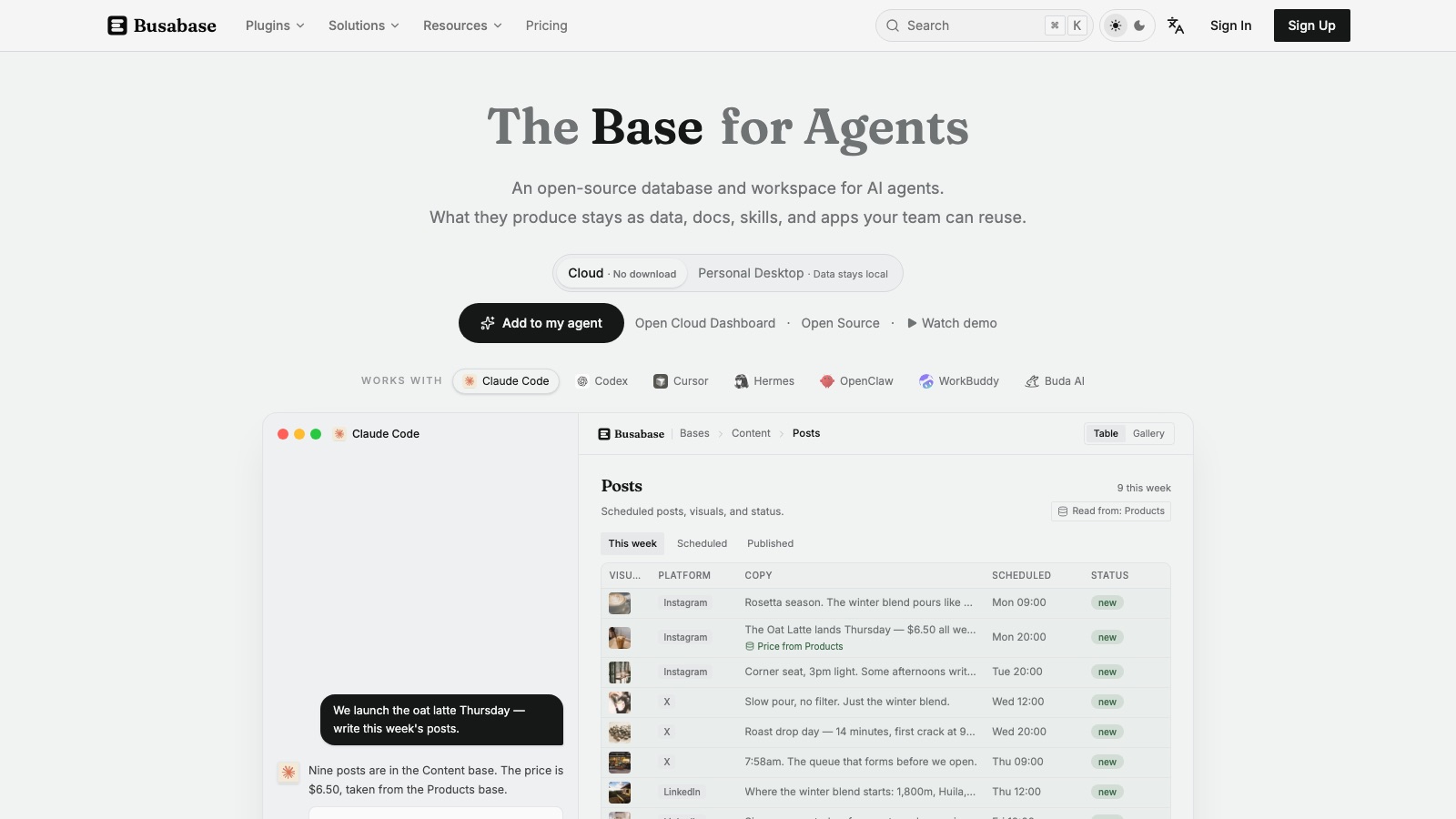
Your agents write a lot, and most of it ends up buried in chat history. Busabase keeps that output as structured records in shared spaces, with a review queue where a human approves changes. The homepage shows it working with Claude Code, Codex and Cursor. The engine is MIT-licensed, so you can self-host it for free with no seat limit.
The cloud version is free up to 5,000 records and 20 spaces. Plus is $12 per seat a month ($10 if you pay yearly) and Pro is $24 ($20 yearly). The price is flat per seat, with no metered usage. It also had the strongest launch of the ten: #1 of the day on Product Hunt, with 341 upvotes.
Skip it if one agent and your existing database already cover it. "A system of record for agents" is a new category, and it may turn out to be a feature of something you already pay for.
Prized
Prized gives you cloud dev boxes that behave like localhost: ports mirror to your machine, files sync both ways, and the box keeps working after you close the laptop. That last part is the pitch for coding agents, which do not stop when you go to bed. It also sells throwaway sandboxes that an agent can start and fork through an API, billed per second. The sandboxes are still in beta. Prized is backed by Y Combinator.
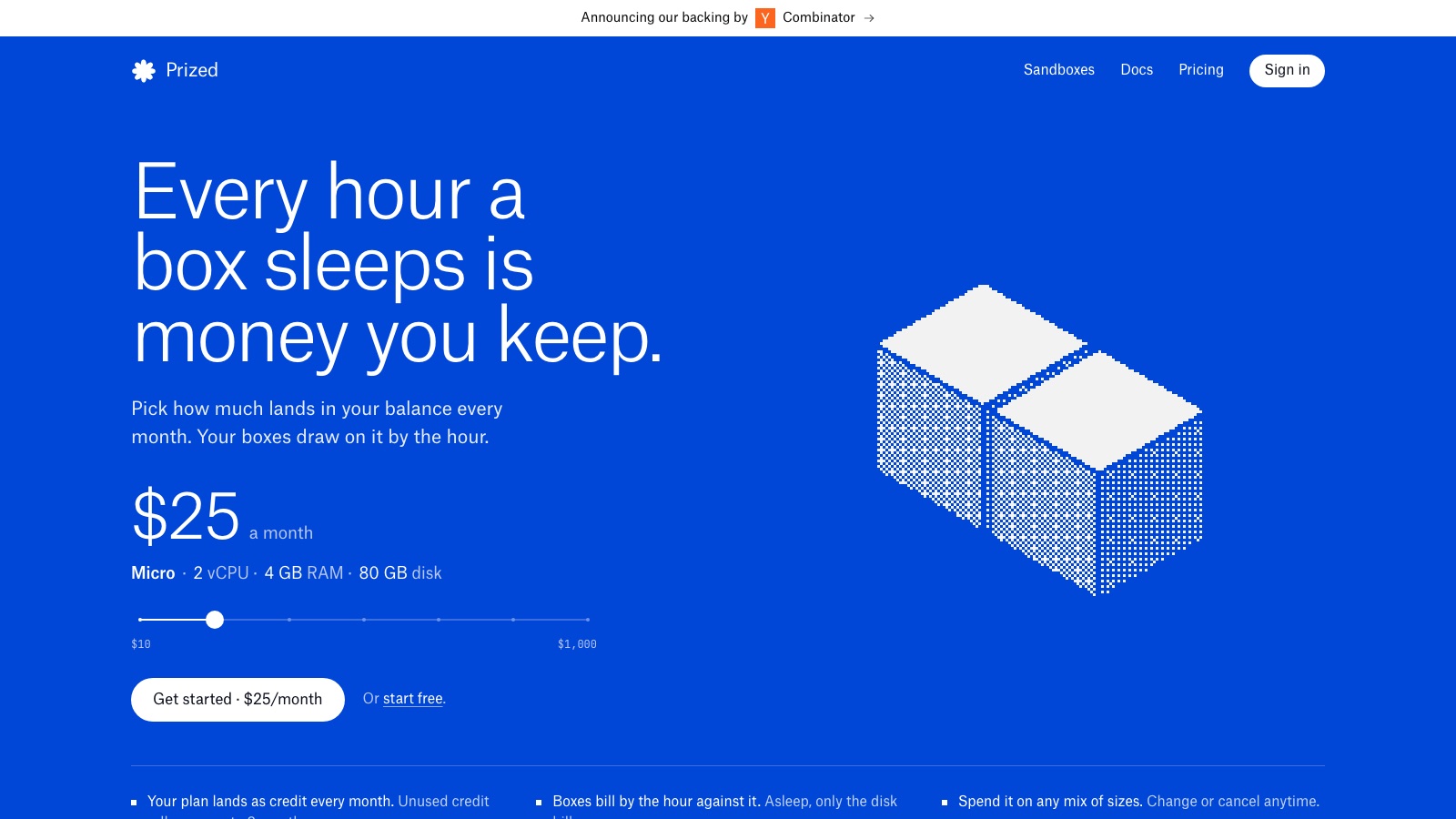
The pricing is the most unusual of the ten. You pick a monthly balance from $10 to $1,000, and your boxes draw on it by the hour. The default is $25, which runs a Micro box (2 vCPU, 4 GB RAM, 80 GB disk). You can start free. Sandboxes cost $0.04 per vCPU-hour.
Skip it if you don't run agents. A plain VM from any cloud will be cheaper and more familiar. If you only need sandboxes, E2B has been doing that for longer.
Velozity
Velozity calls itself a multiplayer AI office. People and agents sit in shared "cabins", with chat, meeting rooms and call transcription, and the agents run on cloud computers. You connect your own AI subscription instead of buying inference from them.
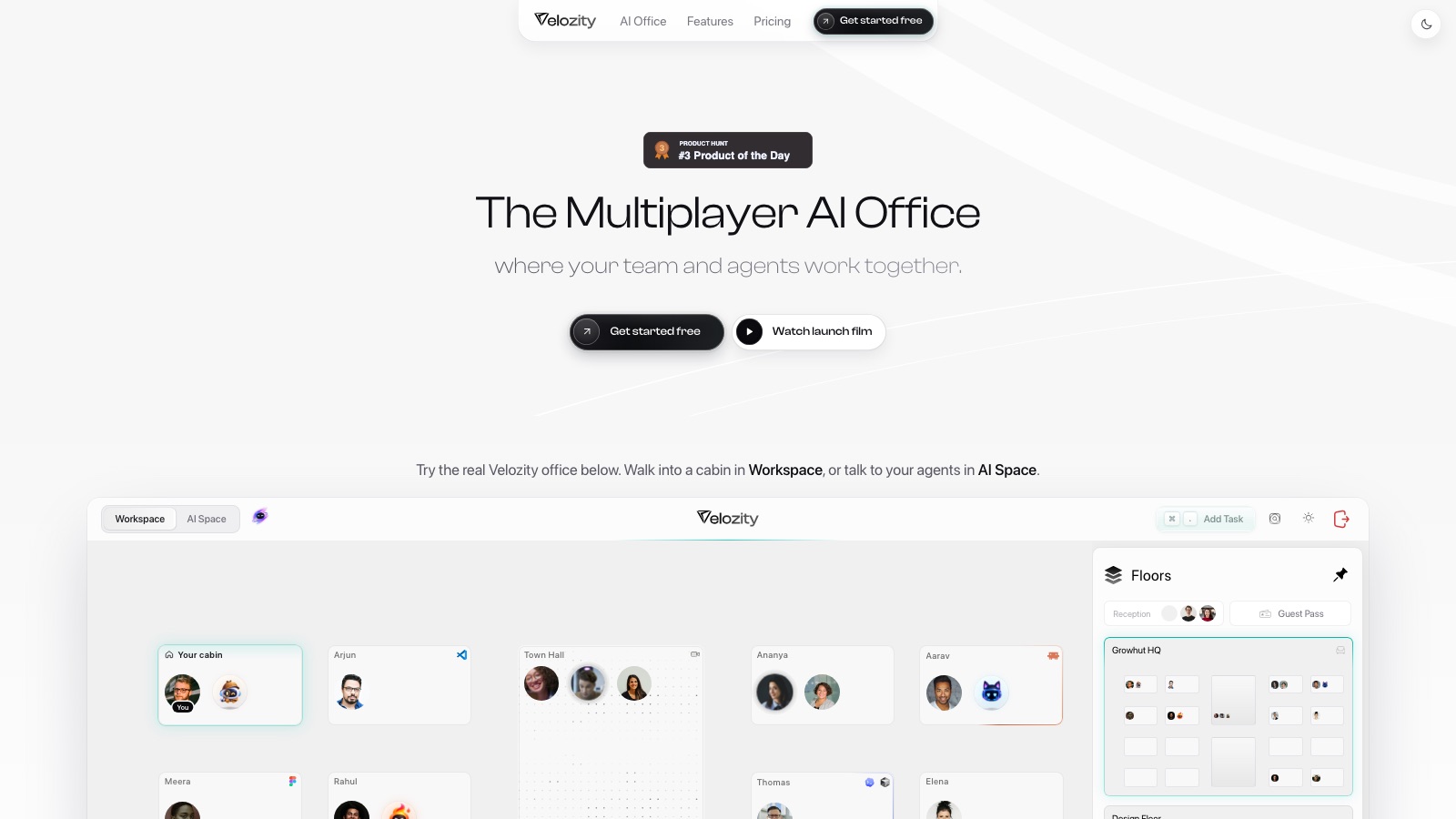
There are three plan lines for one product, each with a free version: Office Space Pro at $6.99 per user a month, AI Space Pro at $7.99, and Co-Worker Pro at $15 with about 700 credits. The page doesn't say which combination a normal team needs. And since you bring your own AI subscription, the real cost is not on that page at all.
Skip it if Slack plus a separate agent tool already works for you. The cabin metaphor will charm some teams and annoy others.
Building an app, and learning a stack
x1
x1 turns a prompt into a native iPhone app and walks it through idea, design, build and App Store submission. You keep the generated code, which matters if a developer will maintain the app later. It was #1 of the day and #1 of the week on Product Hunt for 26 August, with 506 upvotes.
The billing is the odd part. There is no monthly plan. The paid plan, Starter, costs $29 a week or $199 a year, and both run on build credits (1,500 or 2,500 to start, then 500 a week). The free tier gets you an interactive preview with a name, an icon and generated screens, but nothing you can submit to the App Store.
Skip it if you need Android, or a cost you can know up front. You won't know what a credit-priced project costs until it is done.
Staffcoder
Staffcoder is coding practice for real-world engineering work instead of algorithm puzzles. You solve challenges in a browser IDE against actual frameworks, with learning paths and progress tracking, and nothing to install. Free gives you one hour of session time a week. Pro is $10 a month.
One line on the pricing page deserves a second read: "AI access is an introductory offer and may change." If the AI features are the reason you sign up, keep that in mind.
Skip it if you are grinding for an algorithm-heavy interview. This one is for learning a stack you haven't touched.
Voice and meetings
Onepin
Text-to-speech models still trip over addresses, prices, dates and abbreviations. Onepin handles that boring part. It cleans up the text first, routes each line to one of 30+ third-party voice models, then checks the audio and fixes mispronunciations before you ship it. It was #1 of the day on Product Hunt in the week of 13 October.
Seats are free on every plan, and you pay for audio. Free is 1,000 one-time credits (about 15 minutes). Creator is $20 a month, Studio $100 and Scale $300, or 20% less if you pay yearly.
Skip it if you need one quick clip or a custom voice clone. Go straight to a model vendor like ElevenLabs. Onepin's quality ceiling is whatever the models it routes to can do.
VoiceCap
Most meeting notetakers are built for English first. VoiceCap is built for meetings in other languages: it detects 100+ languages, sends bots to Meet, Zoom, Teams and Webex, and stores data in the EU. You can also search your meeting archive from Claude or ChatGPT over MCP, on every plan including free.
Free gives you 300 minutes and no card. Pro is €29 plus VAT per capture seat a month, and Business is €49 plus VAT. Only people who record count as seats. Viewers are free, however many you invite.
Skip it if your meetings are all in English. Otter, Fireflies and Granola are more mature, and VoiceCap's launch was the quietest of the ten (101 upvotes, one review). If you're choosing between the big names, see Granola vs Otter.
Recording, browsing and getting found
Lumiko
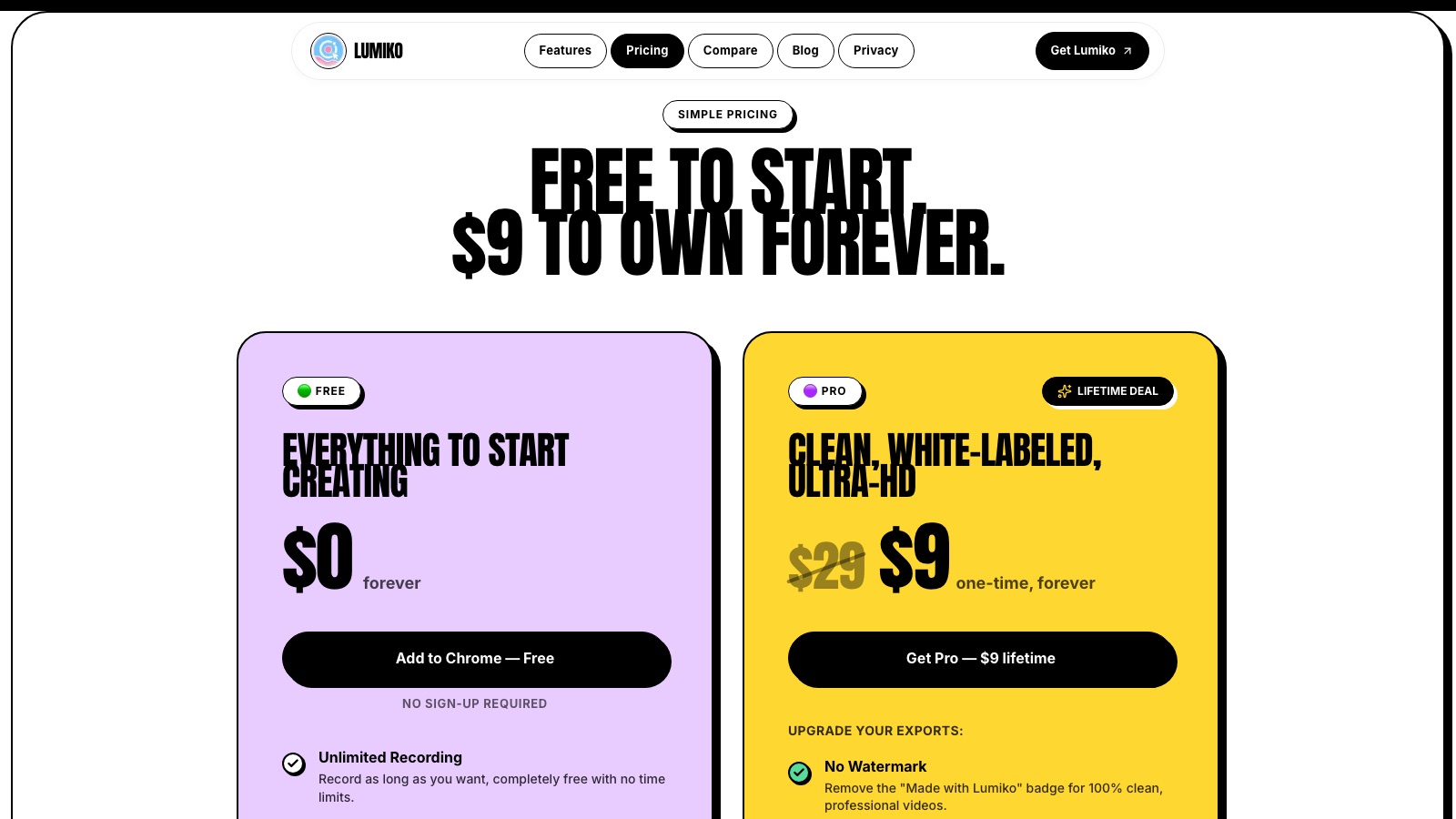
Lumiko is a Chrome screen recorder that edits itself. It zooms and pans to follow your cursor and adds webcam overlay, blur for sensitive data and a timeline editor in the browser. The free tier gives you unlimited recording at up to 1440p without even creating an account. Pro is $9 once, a launch price against a $29 regular price, and removes the watermark and adds 4K export.
$9 once against a monthly subscription to Loom is an easy sell. The catch for developers is that it records the browser, so it can't capture VS Code or Figma.
Skip it if most of what you record happens in desktop apps.
Retriever AI
Retriever AI is a browser agent that runs as a Chrome extension or in a cloud dashboard and does web chores: finding leads, sending outreach, applying for jobs. Its free mode includes the AI models, so you don't need an API key or another subscription. The catch is sponsored cards. On the free plan, ads pay for your inference.
The ladder is public all the way to the top tier, which is rare: Starter $9.99 a month, Pro $29.99, Team $99.99 and Scale $499.99. Scraping costs 0.15 credits per record it returns, and failed attempts are free. I like that meter. It launched on 14 October, a day when Product Hunt tagged every entry "Promoted", so its #3 of the day says less than it looks.
Skip it if your company doesn't allow extensions with that much browser access. If you want to build your own agent, look at Browser Use.
ReSO AI
ReSO tracks how your brand shows up in ChatGPT, Perplexity and Google AI Overviews for a set of buyer prompts. It measures your share of answers against competitors, then suggests content and technical fixes so the AI cites you. The free tier is a one-off baseline report, which is an honest way to find out whether you have a problem.
After that it is $599 a month for 30 tracked prompts, with nothing in between. Many of its competitors hide their price behind a demo call, so a public number is welcome. The homepage leads with "3X Traffic Increase" and similar figures with no method behind them, so I'd treat those as marketing.
Skip it if you're a small team or a side project. Otterly starts at $29 a month, and Brand Mention Monitoring Tools in 2026 compares the whole category.
Ten tools, ten ways to bill you
| Tool | What you pay for | Paid plans start at |
|---|---|---|
| Busabase | Seats, flat, no usage meter | $12/seat/mo (free to self-host) |
| Prized | A monthly balance you pick | $10/mo balance |
| Velozity | Seats on three separate plan lines | $6.99/user/mo |
| x1 | Build credits, weekly or yearly | $29/week or $199/year |
| Staffcoder | Session time | $10/mo |
| Onepin | Audio credits, seats free | $20/mo |
| VoiceCap | Capture seats, viewers free | €29 + VAT/seat/mo |
| Lumiko | A one-time licence | $9 once (launch price) |
| Retriever AI | Credits, scrapes charged on success | $9.99/mo |
| ReSO AI | Tracked prompts | $599/mo |
All ten have a free tier or free credit, and all ten list their own prices without a sales call for the first paid step. We read every price on 15 October 2026. Lumiko's $9 is a launch price, so check the vendor page before you pay.
Two pricing pages show someone else's prices
Prized and Velozity both put a table of competitor prices on their own pricing page. Prized lists AWS, Google Cloud, E2B, Codespaces and DigitalOcean at $12 to $63 a month. Velozity's table has figures like $250 per user a month. Neither number is what you pay for Prized or Velozity.
It is a fair sales tactic, but if you skim, you will quote the wrong price to your team. Read the table header before you copy a number.
The ones I'd try first
Busabase, because the self-hosted version costs nothing, and anyone running agents knows the problem it targets: good output lost somewhere in a chat thread. Prized next, if I needed agents to keep running overnight on something other than my own Mac. Lumiko is $9, which is cheap enough to try on a whim if you record browser demos.
The rest depend on a problem you already have. If all your meetings are in English, VoiceCap is one notetaker among many. If you don't sell to people who ask ChatGPT for recommendations, you don't need ReSO yet.
For more, August's list of emerging AI tools covers ten different ones, and the best AI agents is the place to start if the first section of this post was the interesting one.