You need forty props for a game, and they all have to look like they came from the same artist. A general image generator gives you forty nice pictures in forty styles. Scenario sells the fix for that: you train a model on your own art and generate assets that stay in your style. The question is what Scenario AI pricing looks like once you want that training.
Short answer: $15, $45 or $75 a month, paid in credits, and training starts on the $45 Pro plan. I read every price here on scenario.com, leonardo.ai and the Midjourney docs on 2 November 2026. I have not trained a model on Scenario or shipped a game with its output, so this post covers what you pay and what each plan unlocks, not how good the assets are.
Scenario AI pricing, plan by plan
Scenario has three self-serve plans and an Enterprise tier. Each paid plan gives you a monthly pot of credits that you spend on images, video, 3D meshes and training runs.
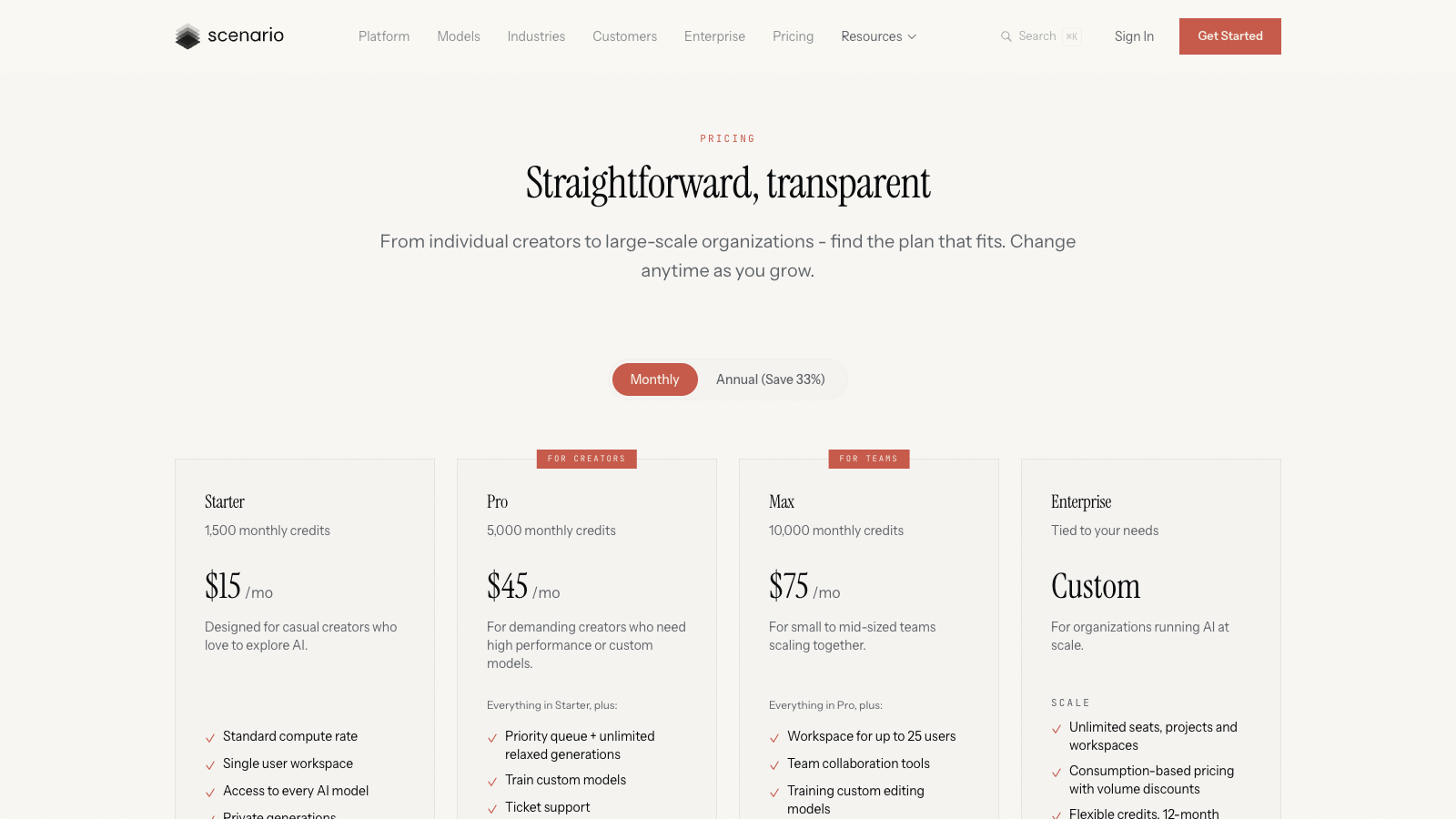
- Starter, $15 a month: 1,500 credits, one user, every model in the library, private generations, 50 GB of storage. No custom training.
- Pro, $45 a month: 5,000 credits, custom model training, a priority queue and unlimited relaxed generations once your fast credits run out.
- Max, $75 a month: 10,000 credits and a workspace for up to 25 users, plus training for custom editing models.
- Enterprise: custom pricing on a 12-month contract, with SSO, IP detection, watermarking and a promise that your data never trains anyone's models.
Monthly is the default on the page. Flip the toggle to Annual and you save 33%, billed once up front.
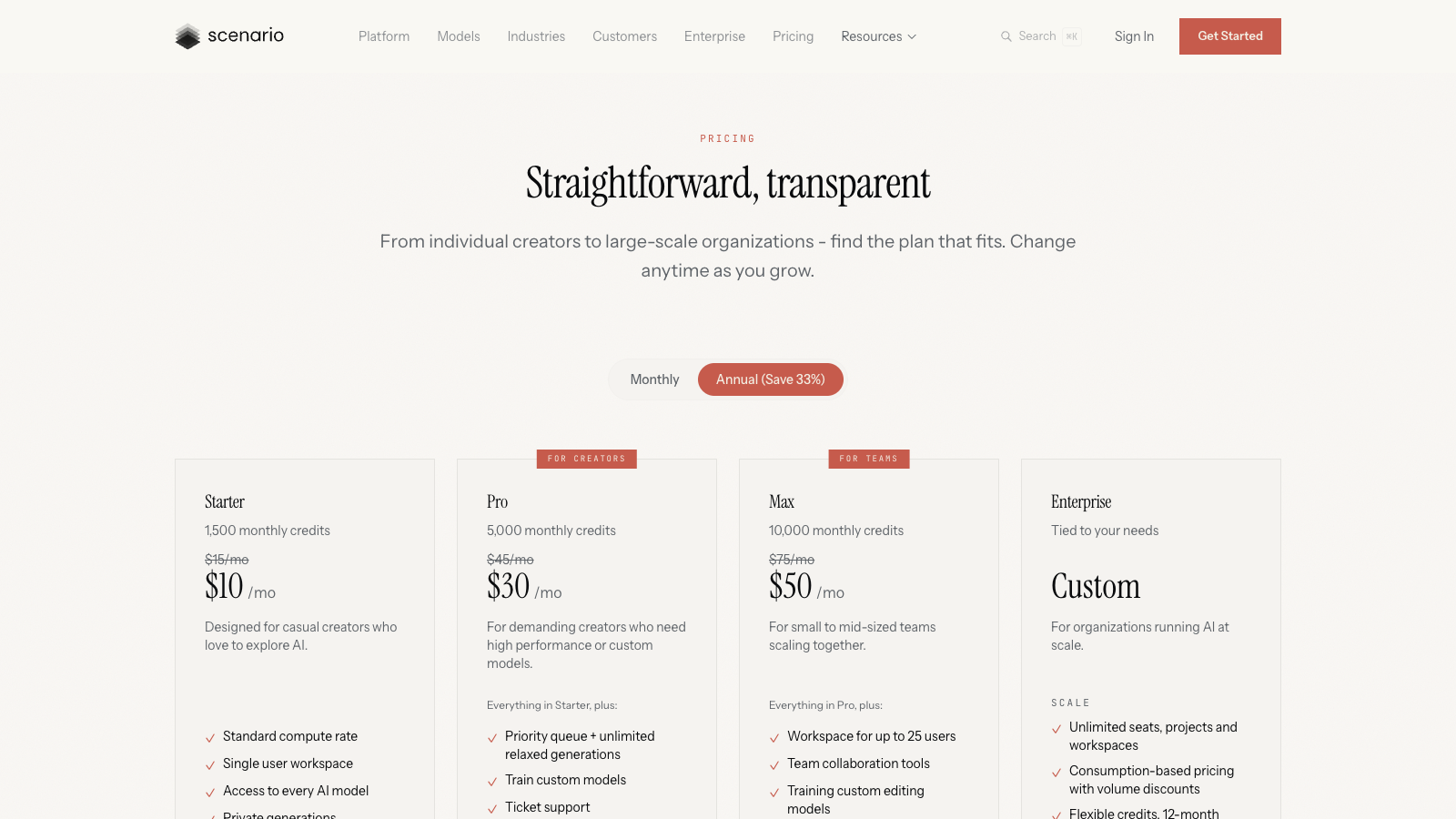
That makes a year of Pro $360 instead of $540. If you plan to train a style and use it for a whole project, take annual. If you want to test whether a trained model can hold your art style at all, pay one month first.
Scenario also has a free tier. The pricing page says "50 free daily credits", while the FAQ says "a free tier with 50 credits", so check your balance the next day before you count on a daily refill. Free has two catches for game work: no API access, and outputs are "for personal and evaluation use only". You need a paid plan before anything goes into a game you sell.
What a credit buys you
Scenario does not publish a per-model price list. The pricing FAQ tells you to check the cost in the generator before you run, and the help centre gives ranges: about 2 to 15 credits per image, 5 to 15 per enhancement, and "a few hundred to several thousand" for a training run.
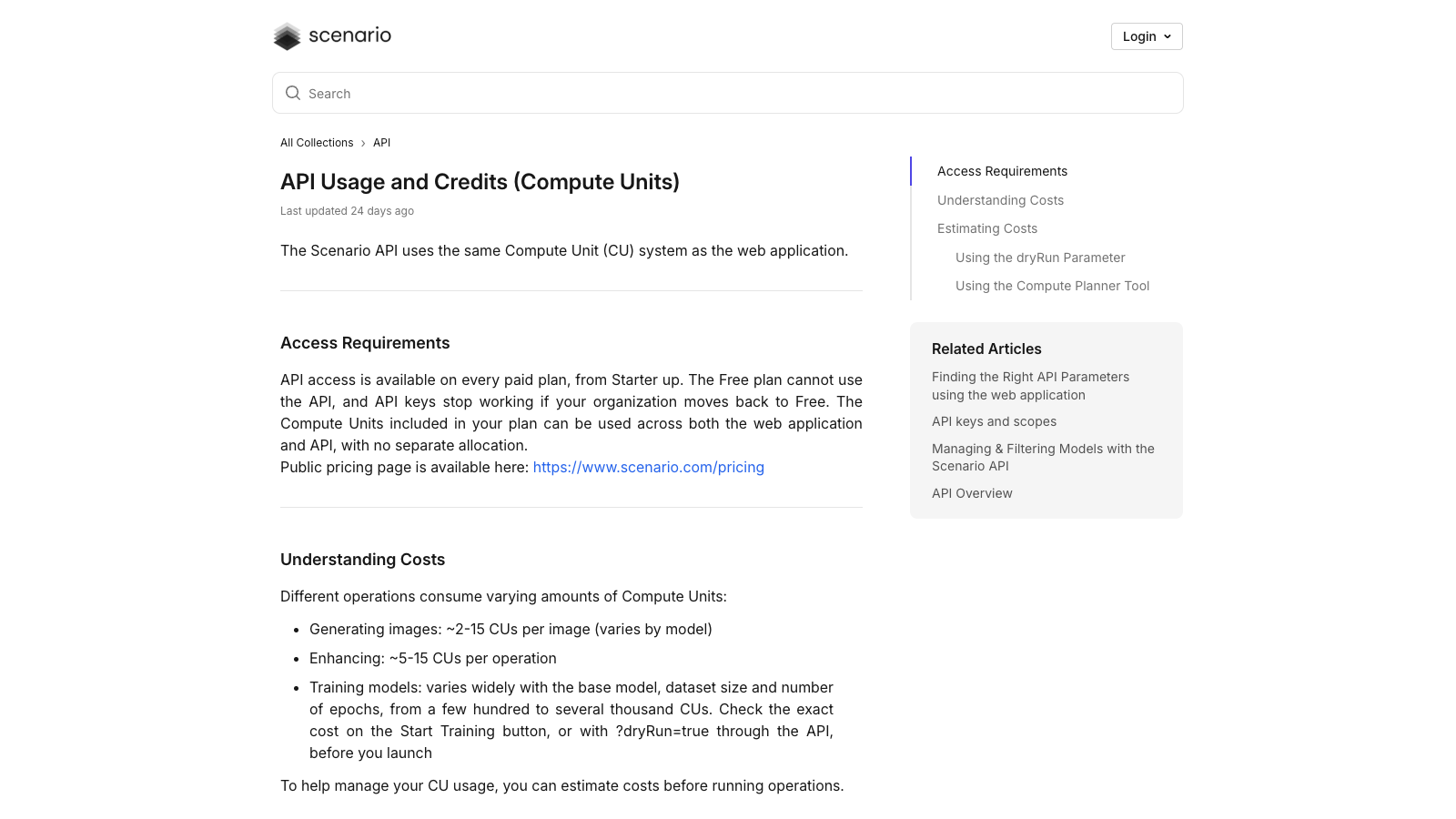
On monthly billing, a Starter credit costs one cent, so an image lands between 2 and 15 cents, and 1,500 credits buy you somewhere between 100 and 750 images depending on the model. On Pro, a credit drops to 0.9 cents and 5,000 credits cover 333 to 2,500 images.
The training range is the number I would watch. On Pro, a run at the top of that range can eat most of your 5,000 credits before you generate a single asset. The Start Training button shows the exact cost before you commit, and the API has a ?dryRun=true flag that returns the cost without spending anything. Scenario's own guidance is 10 to 30 images to train a style, or 5 to 15 for one character or object, at 1024x1024.
The FAQ adds that credits don't roll over to the next month, and that generation stops when you run out until you buy an add-on or the month resets. Pro softens that with unlimited relaxed generations, which the pricing page lists as a Pro feature.
Commercial use, formats and engines
Every paid plan includes a full commercial licence. Scenario's FAQ says you own what you create and can ship it in games, sell it or hand it to clients without royalties. Generations, trained models and uploads stay private to your organisation by default.
For game work the export list matters more than the gallery. Scenario lists PNG, JPEG, WebP and SVG for 2D, MP4, MOV, WebM and GIF for video, and GLB, OBJ, FBX, STL and VOX for 3D meshes with PBR textures. The company calls itself API-first, with a REST API, SDK helpers and an MCP server, and the FAQ names Unity and Unreal as targets. API access works on every paid plan from Starter up, and it spends the same credits as the web app. I like that last part. Plenty of tools charge for API usage on a separate meter.
Scenario's homepage now pitches the product as "the leading AI models in one place", with 750+ models from 50+ providers, so you are paying for a model hub as much as for the training. If you want one image model, you are paying for a lot you will not use.
Scenario AI alternatives, by price
The entry plans side by side, all on monthly billing and read on 2 November 2026:
| Option | Entry price | What you get at that price | Train on your own art? | Private by default? |
|---|---|---|---|---|
| Scenario Starter | $15/mo | 1,500 credits, every model, commercial licence | No, Pro ($45) and up | Yes |
| Leonardo Essential | $12/mo | 8,500 fast tokens, 80+ models, 10 personal AI models | Yes, 10 models | Yes |
| Midjourney Basic | $10/mo | 3.3 fast GPU hours | Not on the plans page | No, Stealth Mode needs Pro ($60) |
| Kenney asset packs | Free | Ready-made 2D and 3D packs, CC0 | No | Not applicable |
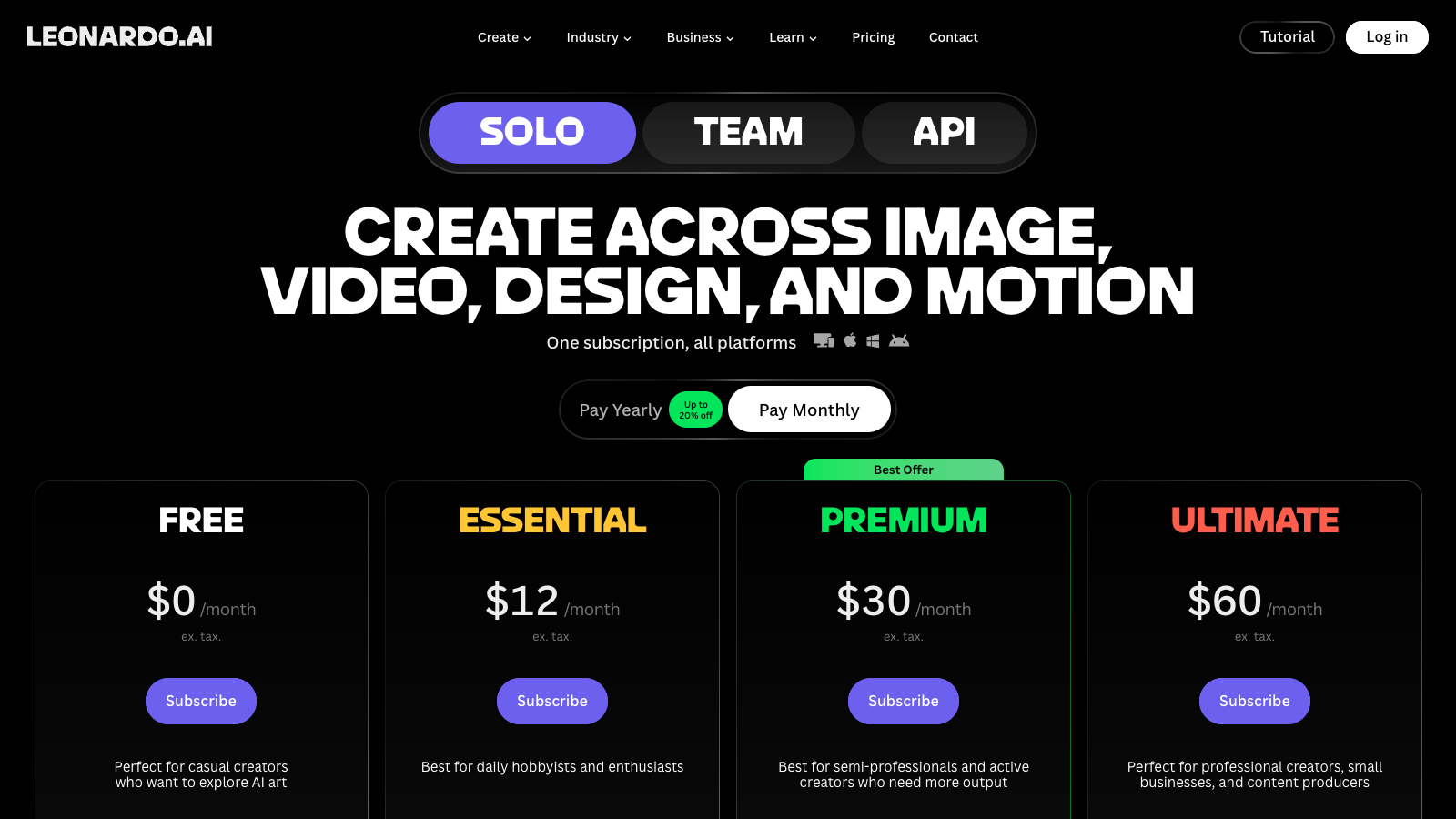
Leonardo AI is the closest Scenario AI alternative on price. Essential costs $12 a month ($10 on yearly billing) and lists 10 "personal AI models", so you can train a style on the cheapest paid plan, where Scenario makes you jump to $45. Its Free plan gives 150 tokens a day, but those creations are public. Leonardo sells a separate pay-as-you-go API, so API usage does not come out of your subscription the way it does on Scenario. Leonardo AI vs Scenario has the side-by-side.
Midjourney costs $10 a month for Basic, $30 for Standard and $60 for Pro, with 20% off yearly. Its plans page lists no training on your own asset set, and your images are public unless you pay $60 for Pro, which unlocks Stealth Mode. Companies over $1,000,000 a year in gross revenue must be on Pro or Mega. For concept art and mood boards that is fine. For forty props in one style it is the wrong tool. Midjourney vs Scenario compares the two.
Kenney is the option that costs nothing. Kenney's packs carry a CC0 licence, and the Nature Kit alone has 330 files. Spring Rider, the Godot game my agents built, stands on Kenney's Nature Kit, with Midjourney renders as references for the rider and the animals, and it needed no trained model. If your game can live with a ready-made style, start there before you pay for anyone's credits.
Who should pay for Scenario
Pay for Scenario Pro if you already have your own art and need many assets that match it, and want them through an API or into Unity or Unreal. That is the job the product is built for, and $30 a month on annual billing is cheap next to an artist's day rate. Budget for the training run before you budget for the images.
Skip it if you are prototyping, if a free CC0 pack fits your game, or if concept art is all you need. Leonardo gets you training for $12, and Midjourney is better known for one-off images. Starter is the plan I would think twice about: $15 a month buys the model hub without the training that makes Scenario different.
If you want the wider picture on what AI creative tools cost, What AI Video Tools Actually Cost runs the same credit math for video. The Scenario listing keeps the plan details in one place.