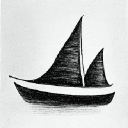
Midjourney has revolutionized digital art creation, making it possible for anyone to generate stunning visuals. This guide will walk you through everything you need to know.
What is Midjourney?
Midjourney is an AI-powered art generator that creates images from text descriptions (called prompts). It uses advanced machine learning to understand your vision and translate it into beautiful, professional-quality artwork.
Key Features
- High-quality image generation
- Various artistic styles
- Fast rendering times
- Active community and support
- Regular updates with new features
Getting Started
Step 1: Join the Discord Server
Midjourney operates through Discord. Here's how to get started:
- Create a Discord account if you don't have one
- Visit midjourney.com and click "Join the Beta"
- Accept the Discord invitation
- Navigate to any newbie channel (e.g., #newbie-1)
Step 2: Subscribe to a Plan
Midjourney offers several subscription tiers:
- Basic: $10/month - 200 image generations
- Standard: $30/month - Unlimited generations (15 hours fast)
- Pro: $60/month - Unlimited + stealth mode + more fast hours
Step 3: Your First Prompt
Type /imagine followed by your description:
/imagine a serene mountain landscape at sunset, oil painting style
Crafting Better Prompts
Basic Prompt Structure
A good prompt typically includes:
- Subject: What you want to see
- Style: Art style, medium, or artist reference
- Details: Colors, lighting, mood, composition
- Parameters: Technical settings
Example Prompts
Simple:
/imagine a futuristic city
Detailed:
/imagine a futuristic cyberpunk city at night, neon lights reflecting on wet streets, detailed architecture, cinematic lighting, ultra-detailed, 8k --ar 16:9 --v 6
Essential Parameters
Aspect Ratio (--ar)
Control your image dimensions:
--ar 16:9- Widescreen--ar 1:1- Square--ar 9:16- Portrait
Stylize (--s)
Control how artistic Midjourney gets:
--s 0- More literal interpretation--s 100- Default--s 1000- Maximum creativity
Version (--v)
Choose the Midjourney version:
--v 6- Latest version (recommended)--v 5.2- Previous stable version
Quality (--q)
Adjust rendering quality:
--q 0.25- Fast, draft quality--q 1- Default--q 2- High quality (uses 2x GPU time)
Advanced Techniques
Image Weight (--iw)
Use --iw to control how much the AI should reference an uploaded image:
/imagine [uploaded image URL] modern redesign --iw 0.5
Chaos Parameter (--chaos)
Add --chaos 0-100 to control variety in your generations:
/imagine abstract art --chaos 75
Higher chaos = more varied results
Multi-Prompts
Use :: to weight different parts of your prompt:
/imagine hot:: dog:: - Creates a hot canine
/imagine hot::2 dog:: - Emphasizes "hot" 2x more
Negative Prompts
Use --no to exclude elements:
/imagine beautiful garden --no people, buildings
Upscaling and Variations
After generating images, you'll see buttons:
- U1-U4: Upscale images 1-4
- V1-V4: Create variations of images 1-4
- 🔄: Reroll all four images
- 🎨: Vary (subtle) - Small variations
- 🎭: Vary (strong) - Major variations
Common Mistakes to Avoid
- Being too vague in prompts - Add specific details for better results
- Not iterating on successful images - Use variations to refine winners
- Ignoring the community showcase - Browse
/showfor inspiration - Forgetting to save your favorites - React with ⭐ to bookmark images
- Not experimenting with parameters - Try different settings
- Overwhelming your prompt - Sometimes less is more
Tips for Success
1. Study Successful Prompts
Browse the community feed and analyze what works. Pay attention to:
- Prompt structure
- Parameter combinations
- Style references
2. Build a Prompt Library
Save prompts that work well. Create templates like:
[Subject], [style], [lighting], [mood], detailed, professional photography --ar 16:9 --v 6
3. Use Style References
Reference famous artists or art movements:
- "in the style of Studio Ghibli"
- "art nouveau poster"
- "baroque painting"
4. Combine Techniques
Mix parameters for unique results:
/imagine mystical forest, ethereal lighting, fantasy art --ar 2:3 --chaos 40 --s 750 --v 6
5. Iterate and Refine
Don't expect perfection on the first try:
- Generate initial batch
- Pick the best
- Create variations
- Upscale and refine
Best Practices
Copyright and Usage
- Basic/Standard plans: You own the images for commercial use
- Pro plan: Includes stealth mode for private generations
- Always check current terms of service
Community Guidelines
- Be respectful in shared channels
- Don't spam prompts
- Mark NSFW content appropriately
- Report violations
Resources
Official Resources
Community Resources
- Prompt databases
- Style guides
- Tutorial videos
- Artist communities
Conclusion
Midjourney is an incredibly powerful tool that democratizes art creation. With practice and experimentation, you'll be creating professional-quality images in no time.
Remember:
- Start simple and build complexity
- Experiment with different parameters
- Learn from the community
- Iterate on your best results
- Have fun and be creative!
Ready to create stunning AI art? Try Midjourney today and unleash your creativity!
Looking for more AI art tools? Check out our complete directory of image generation and creative AI tools.