


I've written production code for over a decade, but I have always avoided test-driven development. I wrote unit tests afterward, relied on code reviews, and counted on QA for edge cases. It worked well enough. I liked TDD in theory, but found it hard to make time for it or manage it effectively.
Then I started using Claude Code and ChatGPT to generate features. Within two weeks, my workflow changed significantly. I shifted from being a code writer to a code reviewer - in a really short amount of time.
That's when I realized: AI doesn't just write code faster, it generates plausible-looking bugs at scale. The only defense that works is writing the test before asking AI to make it pass.
Why AI-Generated Code Demands a Different Approach
The pattern was clear: AI optimizes for code that looks correct, not code that is correct. It's trained on examples of "code that passed code review," so it produces output that matches reviewer expectations. That's dangerous. When AI generates code matching our mental model of "good code," we stop looking for problems. It's like the good old days of Stack Overflow copy-pasting, except if the decent-looking code has a subtle bug that you're unlikely to catch.
Never commit code you can't explain or don't fully understand. Whether from a technical or domain perspective, that's just a way to shift responsibility to your peers.
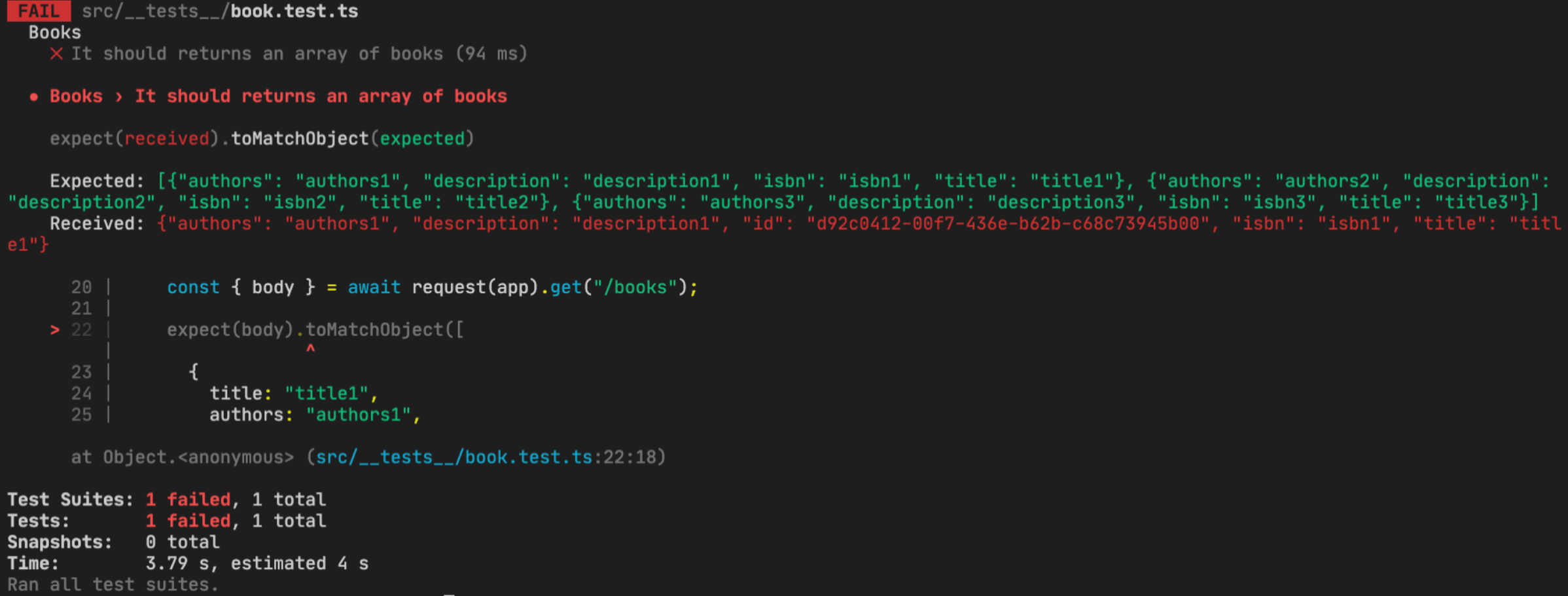
The key insight: When reviewing, I'm not asking "does this look right?" I'm asking, "Does this pass the tests, and is the implementation clean?" Correctness is handled by tests. I review for maintainability and performance.
The Workflow That Emerged
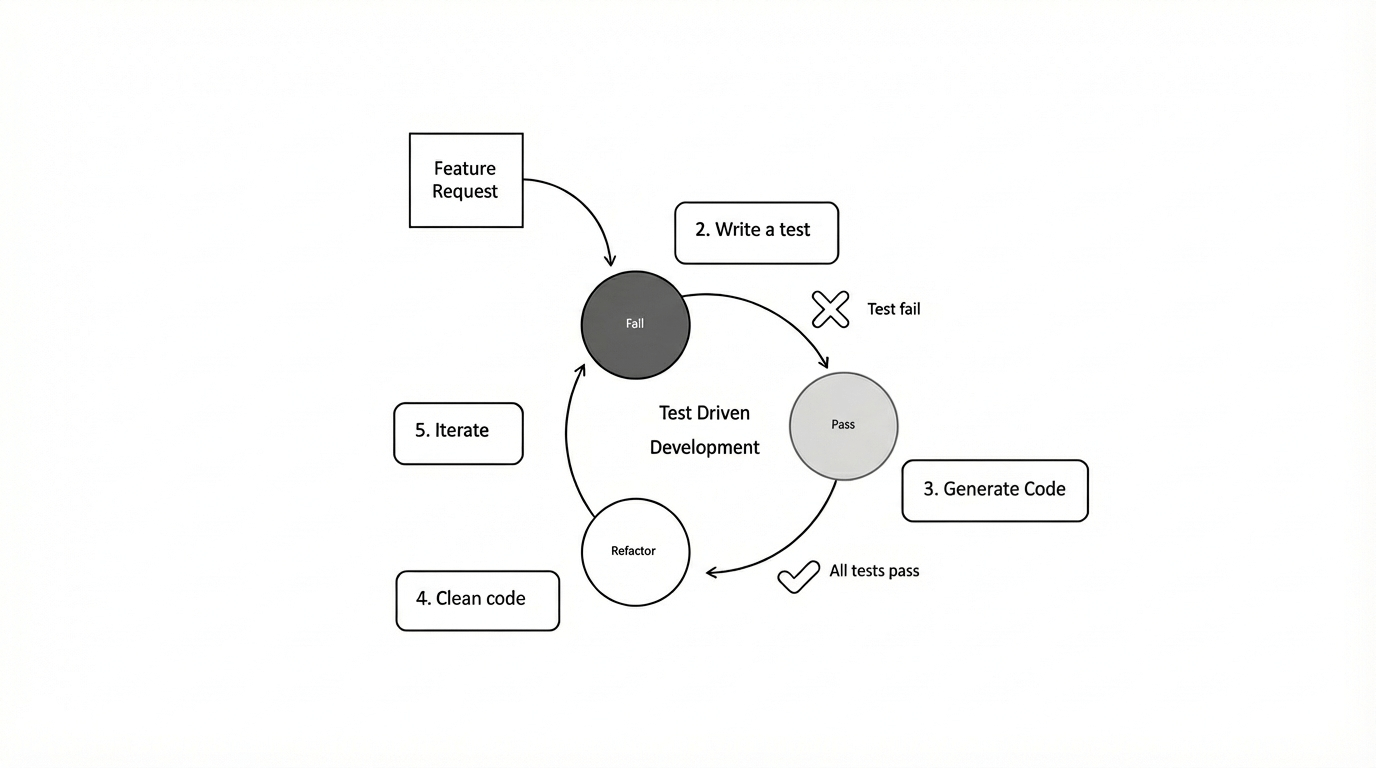
I start by writing a failing test that specifies behavior.
Then I prompt Claude Code: "Make these tests pass. Use our existing validation library. Handle all test cases without unnecessary complexity." The AI generates code optimized for those specific tests, not for "look good."
The difference is crucial. After the first iteration, I add edge-case tests. Each new test either passes immediately (the codegen was more robust than expected), or fails (revealing a gap). When it fails, I prompt: "This test is failing. Fix it without breaking existing tests."
The tests become my specification language - precise, executable, impossible to misinterpret.
Pro tip: If you want to combine this test-first approach with a structured development workflow, check out my Claude Code workflow article where I walk through using Claude Code with MCP servers, Jira integration, and the /lyra planning command for managing complex features from ticket to production.
The Tools That Make This Work
I primarily use Claude Code in the terminal with MCP integration for Jira and MySQL. The command-line interface keeps me in normal flow: write test, run test, prompt Claude, review, commit. For complex features, I add Cursor for inline suggestions and codebase context.
I use Jest, a JavaScript testing framework most commonly used with React, but it works great with Node.js, Angular, Vue, and plain JS/TS too. All have watch modes that display test results in real time as codegen runs. This tight feedback loop - write test, prompt AI, see results in seconds - makes the approach practical.
When Claude gets stuck, I'll copy the test to ChatGPT or Gemini for different perspectives. Each model has distinct patterns: Claude favors explicit solutions, ChatGPT generates concise code, and Gemini suggests novel approaches. For tough problems, having multiple AI solutions to the same test lets me compare and pick the one that fits our codebase. If nothing works, I do it myself.
Version control is the safety net. I commit after every working iteration - more frequently with AI than manual coding. Atomic commits mean reverting bad AI generations takes seconds. To save on context and avoid confusing the codegen, I keep .md files while I work, so I can clear the context instead of compacting it.
What This Changed
The obvious change is tests-first, but the interesting part is how it changed specification thinking. Before AI, I'd start with a vague idea and refine while coding. That doesn't work with AI - it can't read your mind about what "better validation" means.
Now I'm forced to be specific upfront. Tests became my specification language, precise, executable, impossible to misinterpret. Code reviews changed, too. I include tests-first and AI implementation in PRs. Reviewers assess intent through tests and verify that the implementation aligns with it. Reviews are faster because we're not debating "what should this do?"
Debugging changed. When bugs hit production, I write a test reproducing it, then hand the failing test to Claude. The AI usually fixes it on the first try because the test perfectly specifies the failure. Bugs that took an hour now take ten minutes.
With this approach, I'm more confident shipping AI code now. The comprehensive test suite proves it works.
The Honest Trade-offs
This workflow is not faster upfront. For trivial features - adding buttons, changing colors - it's overkill. UI is an exception to the rule. My rule: Does this code contain logic that could fail in an unexpected way? If yes, test first. If no, just ship it. Form validation, data transformations, business logic - test first. Simple UI and CRUD - LGTM.
There's a learning curve for writing tests before implementation. The tests I write now focus on behavior, not implementation details. It took about fifty features to get decent at this.
AI-generated code can be hilariously literal. I once wrote a test to check whether a function returned users sorted by last name. Claude generated code that sorted by the string "last name" instead of the lastname field. The test failed, I clarified, and Claude fixed it. The AI optimizes for passing tests, not understanding intent.
The workflow requires fast test infrastructure. If tests take five minutes to run, this becomes tedious. We've invested in test performance because slow tests kill the workflow.
What I Learned
The AI isn't writing code - it's generating text that looks like code. The difference matters because text-that-looks-like-code passes code review, compiles successfully, and fails in production.
Tests are the only reliable filter between "looks like code" and "is code." Tests force you to specify behavior precisely and verify it automatically. With AI, you can't trust your eyes. Code looking perfect can be subtly wrong in ways pattern-matching brains miss. Tests don't pattern-match - they execute and pass or fail.
My workflow (write test, prompt the AI, add edge cases, iterate) isn't traditional TDD, but it's tailored for AI. Tests serve both as specifications and as verifications, ensuring trust in AI implementations.
I still skip tests when unnecessary. But for features using AI to generate core logic, I write tests first. Not from TDD philosophy, but because it's the only practical way to ship AI code without constantly expecting bug reports.
The Bottom Line
The tools we have - Claude Code, Cursor, ChatGPT, and Gemini - generate complex implementations in seconds. But that power is only useful if you trust the output. The only way I've found to trust it is to specify exactly what it should do in test form before asking the AI to generate it.
Code generation didn't make testing obsolete. It made testing non-negotiable.
Resources
Tools and frameworks mentioned in this post:
- Claude Code - AI coding assistant with CLI and MCP integration
- Cursor - VS Code fork with AI inline editing
- ChatGPT - AI assistant for code explanation and brainstorming
- Gemini - Google's AI model for alternative perspectives
- Jest - JavaScript testing framework with watch mode
Related reading: Claude Code Workflow: From Jira Ticket to Production - A structured approach using MCP servers, Lyra planning, and automated code reviews to manage features from ticket to production
MCP (Model Context Protocol) lets you connect AI tools to your development environment, databases, and project management systems.