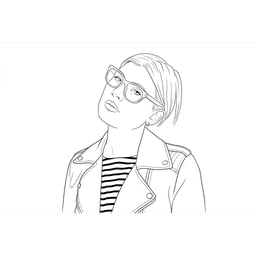
Line Drawing Converter
Turn a photo into a clean black and white line drawing
About Line Drawing Converter
Line Drawing Converter turns photographs into line art, and its useful feature is the range of control over line density. That is the variable that determines whether the output is actually usable, and it changes completely with purpose. A colouring page for a child needs very few lines. A tracing template needs clean confident contours. A print needs weight that survives the printing process. Offering five distinct settings from simple through to detailed, plus separate bold and thin weights, means the same photograph can serve all of those rather than one compromise.
The stated audience is creators and makers, which explains the emphasis on printing, tracing and crafts rather than on digital art. Those are physical uses where line weight genuinely matters and where a result that looks fine on screen can be useless on paper, hence the specific bold setting described as best for print. Example categories cover portrait, people, architecture, pet and landscape, so you can see how the conversion behaves on your kind of subject before uploading. Input accepts JPG, JPEG, PNG and WebP up to 10MB. Paid plans include commercial use rights, no watermark and up to four concurrent generations, at around eight cents per image.
Upload a photograph in JPG, JPEG, PNG or WebP up to 10MB. Choose the detail level, selecting Clean for the most balanced result, Simple for the least detail, or Detailed for the most, then set the line weight with Bold for printing or Thin for a lighter look. Generate, and fine-tune the result if the first pass is not right, which matters because the correct setting depends on the subject as much as the purpose. Check the example categories covering portraits, people, architecture, pets and landscapes to see how the conversion handles your kind of image before committing a credit. Output is watermark-free on paid plans and licensed for commercial use.
- •Five Detail Levels - Clean, Simple and Detailed among them, since line density is what determines usability
- •Bold and Thin Weights - Separate control for line weight, with Bold specifically noted as best for print
- •Fine-Tune After Generation - Adjust rather than regenerate when the first pass is close
- •Subject Examples - Portrait, people, architecture, pet and landscape samples for judging behaviour on your subject
- •Print-Oriented Output - Built for physical use rather than screen display
- •Commercial Use Included - Paid plans carry commercial rights
- •No Watermark - Clean output on paid plans
- •Concurrent Generation - Up to four at once, useful when converting a batch
For makers and crafters producing tracing templates, embroidery patterns, wood-burning designs and vinyl cutting files, where clean line art is the required input format. It suits parents and teachers making custom colouring pages from photographs of familiar subjects, which is far more engaging for a child than a stock image. Tattoo clients and artists can convert a reference photograph into line form. Designers get usable line art from photography with commercial rights included, at a per-image cost low enough for casual use.
Pricing
$9.99 - $89.99/mo
- Starter$9.99/mo
- Creator$29.99/mo
- Studio$89.99/mo
- 1,500 permanent credits$199 once
- 4,000 permanent credits$399 once
From the vendor pricing page, 2026-09-21



















